
10 Best WordPress Security Plugins for 2026 (Free & Paid)
I regularly test WordPress security plugins on real sites and staging environments. Below are 10 of the best options for 2026, what they do well, and where each one fits best

Recent reports estimate that WordPress sites face malicious activity many times per hour, and thousands of sites are compromised every single day.
The good news: you do not need to become a security engineer to stay safe. A well-chosen security plugin can handle most of the hard work for you: blocking attacks, watching for vulnerabilities, and alerting you when something looks wrong.
I regularly test WordPress security plugins on real sites and staging environments. Below are 10 of the best options for 2026, what they do well, and where each one fits best.
Wordfence
Patchstack
Solid Security
All-In-One Security (AIOS)
Sucuri Security
Shield Security
MalCare
Jetpack Security
WP Ghost (Hide My WP Ghost)
WP Cerber Security
Top 10 WordPress security plugins to secure your website
1. Wordfence

Type: Full security suite (firewall + malware scanner)
Pricing: Free; premium from around $119–149/year per site wordfence.com
Best for: Sites needing a strong, all-in-one security baseline
WordFence is one of the most widely deployed WordPress security plugins and for good reason. It combines an application-level firewall with a malware scanner that runs inside WordPress, plus detailed live traffic views that let you see attacks as they happen. WordPress.org
On the free plan, firewall and malware signatures are delayed by 30 days, but you still get solid protection. The premium plans unlock real-time rules and IP blocklists, which is where WordFence really shines.
Key security features
Endpoint Web Application Firewall (WAF) tailored for WordPress
Malware and file-change scanner for core, themes, and plugins
Login security with 2FA and brute-force protection
Country and IP blocking on paid plans
Real-time Threat Defense Feed on premium, with live rule updates WordPress.org
Recommended for
eCommerce sites, news portals, and high-traffic blogs that want a single plugin to handle firewall, malware scanning, and login protection in one place.
2. Patchstack
Type: Vulnerability detection and virtual patching
Pricing: Free plugin; premium plans from around $60/year per site (and higher-tier agency plans) Patchstack
Best for: Agencies, developers, and anyone managing many sites
Patchstack takes a different approach from “classic” security plugins. Instead of running heavy scanners locally, it focuses on vulnerability intelligence for WordPress core, plugins, and themes, and on blocking exploits before you have time to update. Patchstack
It is powered by an active community of researchers and provides early warnings and virtual patches for serious issues.
Key security features
Detailed vulnerability detection for core, plugins, and themes
Early warning on new vulnerabilities discovered by the Patchstack Alliance
Virtual patching rules that block exploit attempts without changing your code
Central dashboard for managing multiple sites and reports
Optional incident-response and malware cleanup add-ons Patchstack
Recommended for
Freelancers, agencies, and hosting providers who manage many WordPress installations and care about proactive vulnerability management rather than only post-hack cleanup.
3. Solid Security
Type: Hardening, brute-force protection, and user security
Pricing: Free; Solid Security Pro from $99/year for one site WordPress.org
Best for: Sites that want strong login and policy-driven protections
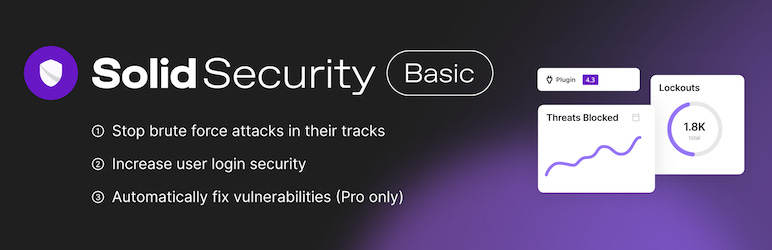
Formerly known as iThemes Security, Solid Security focuses strongly on locking down user accounts, logins, and core WordPress settings. It integrates nicely with other security tools and even with Patchstack on the Pro tier. WordPress.org
Instead of trying to be a full malware removal service, it excels at “do the basics very well”: enforce strong passwords, limit login attempts, and alert you when something changes.
Key security features
Brute-force and lockout protection for logins
Two-factor authentication and passkey logins in Pro WordPress.org
Password policy enforcement
File-change and configuration-change detection
Database backups and core hardening options
Recommended for
Business sites, membership platforms, and WooCommerce stores that care about account security and policy-based hardening, especially when combined with a dedicated firewall or malware scanner.
4. All-In-One Security (AIOS)
Type: Comprehensive free security and firewall
Pricing: Free; premium add-ons and plans around $80/year
Best for: Site owners who want a broad set of protections with an approachable UI
All-In-One Security (often called AIOS) is a feature-rich plugin from the team behind UpdraftPlus. It offers a lot at the free level: login lockdown, basic firewall rules, user account security, database prefix changing, and more. WordPress.org
The interface presents your security “score” and lets you enable protections step by step, which is helpful if you are not very technical.
Key security features
Firewall rules and 404-based blocking
Login lockdown and IP blacklist/whitelist
User account and password strength enforcement
Database prefix and file system security tools
Malware scanning and uptime monitoring on premium plans WordPress.org
Recommended for
Personal blogs and small business sites that want broad coverage without a steep learning curve, especially when budgets are limited.
5. Sucuri Security
Type: Monitoring, hardening, and gateway to Sucuri’s cloud firewall
Pricing: Free plugin; full website security platform from about $199.99/year
Best for: Sites that need monitoring plus the option of a proven cloud WAF
The free Sucuri Security plugin focuses on integrity checks, audit logs, malware detection, and security hardening. WordPress.org
If you also subscribe to Sucuri’s firewall and cleanup services, that protection is managed through the same ecosystem, giving you a strong cloud WAF in front of your site.
Key security features
File integrity monitoring and malware detection
Audit logs of security-relevant events
Security hardening presets and post-hack tools
Integration with Sucuri’s cloud WAF and DDoS protection on paid plans WordPress.org
Recommended for
Businesses and eCommerce sites that want expert-managed firewall and cleanup services, plus a solid free plugin for ongoing monitoring and hardening.
6. Shield Security
Type: Prevention-focused firewall and bot blocker
Pricing: Free core; Pro from around $129/year for one site Shield Security
Best for: Site owners who want strong bot blocking and an “intrusion prevention first” philosophy
Shield Security (previously WP Simple Firewall) positions itself as a prevention-first security plugin. It aims to block bad bots and automated attacks before they cause problems, rather than focusing primarily on cleanup.
In practice, that means a strong rules engine, good login protection, and lots of automation around detecting abusive IPs.
Key security features
Application firewall and request filtering
Bot detection and automated IP blocking
2FA, CAPTCHA, and brute-force protection on login
File scanning and change detection
Comment spam protection and activity logging WordPress.org
Recommended for
Blogs, business sites, and agencies that care about reducing noise from bots and automated scanners, while still keeping the plugin manageable for non-technical users.
7. MalCare
Type: Cloud malware scanner and one-click cleanup
Pricing: Free plan with limited scans; premium from around $99/year
Best for: Sites that prioritize fast, automated malware detection and removal
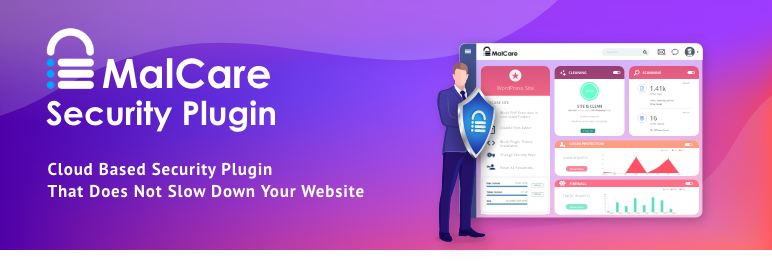
MalCare offloads heavy scanning to its own servers, which keeps your WordPress site responsive even during deep scans. It is known for its one-click malware removal and tends to be very effective for cleaning hacked sites. WordPress.org
You also get a firewall, vulnerability alerts, and optional backup and staging features, especially on higher tiers.
Key security features
Cloud-based malware scanner that does not slow your site
One-click automatic malware removal on paid plans
Firewall, login protection, and bot blocking
Vulnerability alerts and uptime monitoring WordPress.org
Recommended for
Any site that has been hacked before or is at high risk and wants automated cleanup plus ongoing scanning without heavy load on shared hosting.
8. Jetpack Security
Type: Security bundle with backups, malware scanning, WAF
Pricing: Free basic protection; Jetpack Security bundle from about $119/year Jetpack
Best for: Site owners who also want backups and spam protection in one ecosystem
Jetpack, developed by Automattic (the company behind WordPress.com), offers several security options:
Jetpack Protect as a free vulnerability scanner and security checker.
Jetpack Security as a paid bundle with real-time backups, WAF, and malware scanning. Jetpack
Because scanning and backups run on Jetpack’s infrastructure, performance impact on your server is minimal.
Key security features
Daily or real-time malware scanning with one-click fixes (paid)
Web Application Firewall (WAF) on Jetpack Security plans Jetpack
Real-time cloud backups and easy restores
Vulnerability scanning via Jetpack Protect, powered by the WPScan database WordPress.org
Brute-force protection and uptime monitoring in the free tier WordPress.org
Recommended for
Small businesses and WooCommerce stores that want backups, malware scanning, and spam filtering managed in one place, especially if they already use other Jetpack features.
9. WP Ghost (Hide My WP Ghost)
Type: Hack-prevention, path protection, and firewall
Pricing: Generous free version on WordPress.org; premium plans from $29/year per site, add advanced hardening and cloud monitoring WPGhost
Best for: Site owners who already use scanners/firewalls and want a strong extra layer of stealth and hardening
Unlike most security plugins that focus mainly on detecting and cleaning malware, WP Ghost is built around preventing attacks in the first place by making your site a much harder target.
In my tests, it has paired exceptionally well with tools like Wordfence, Sucuri, Cerber, and others. You keep your existing firewall and scanner, but WP Ghost hides and changes many of the obvious WordPress paths and adds its own 7G/8G firewall and brute-force protections on top. WordPress.org
On sites where I enabled WP Ghost after other security plugins were already running, I observed a substantial drop in logged bot attacks, particularly on the default login paths.
Key free features (highlights)
Change or hide core WordPress paths:
/wp-admin,/wp-login.php,/wp-content,/wp-includes,/plugins,/themes,/wp-json, author URLs, and more
7G and 8G firewall filters against SQL injection, script injection, XSS, and common exploit patterns WordPress.org
2FA by code, email, and passkey, including support for modern passkey logins
Brute-force protection with math CAPTCHA and Google reCAPTCHA (V2, V3, and Enterprise) for:
login
lost password
registration
comments
WooCommerce login
IP allow/deny lists and user-agent/hostname blocking
Magic link login and temporary logins without passwords
Weekly security checks and reports, plus extensive mapping tools (URL, text, CDN mapping)
Premium plans add:
Geo-blocking and country-based restrictions
Vulnerability monitoring and cloud event logs
Hardening for sensitive files (wp-config, debug logs, readme files, etc.)
Tools for changing the database prefix and SALT keys, and for fixing file permissions WordPress.org
Where WP Ghost fits in a stack
WP Ghost works well alongside other security plugins because it operates mostly at the path and firewall level, not by duplicating malware scanning or backups. For example:
Combine Wordfence / Sucuri / MalCare for scanning + cleanup
Add WP Ghost to hide known WordPress entry points and reduce bot noise
Optionally keep Patchstack for vulnerability intelligence
Recommended for
Anyone serious about hack-prevention rather than only post-incident cleanup: agencies managing many WordPress sites, WooCommerce stores, and blogs that are frequently probed by bots. It is especially useful if you already have a security plugin but want to “disappear” common WordPress paths and cut down on attack logs.
10. WP Cerber Security
Type: Firewall, anti-spam, and malware scanner
Pricing: Free core; premium licenses from $99/year for advanced scanning and automation wpcerber.com
Best for: Users who want a single plugin to handle login security, anti-spam, and malware scanning
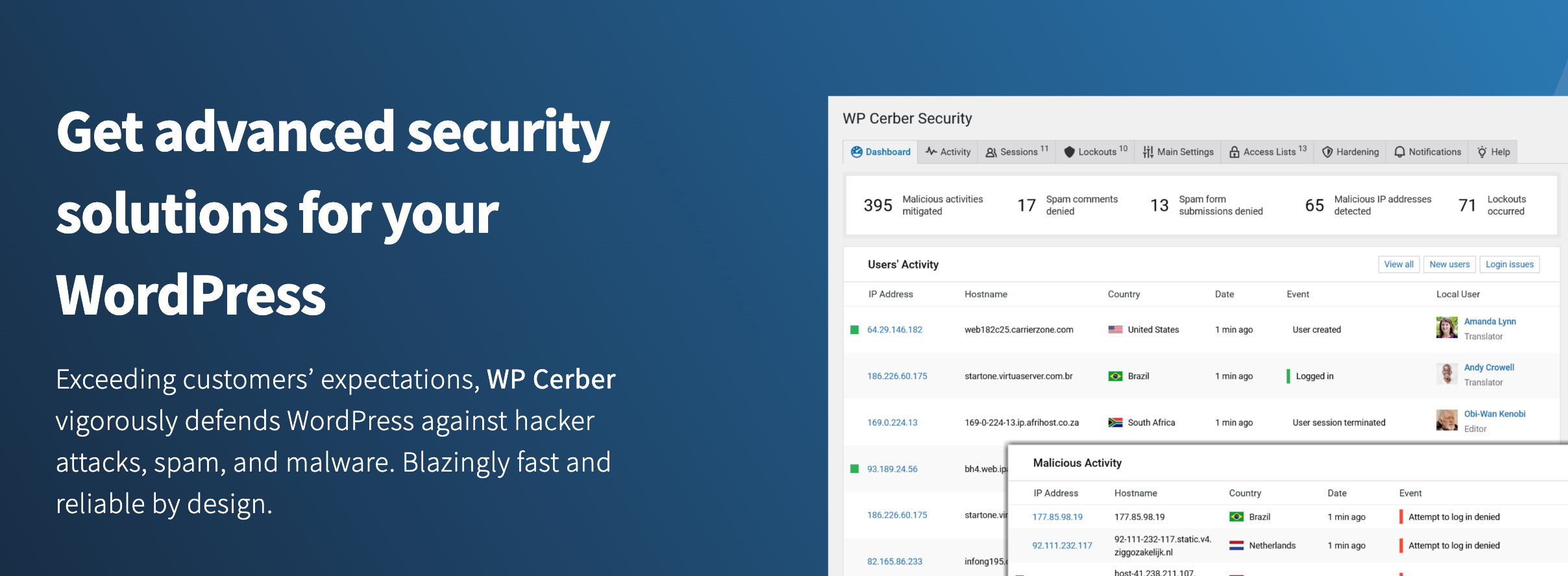
WP Cerber Security, Anti-spam & Malware Scan provides several layers: login protection, anti-spam engine, malware scanner, and file integrity checks. It is widely used to reduce comment and registration spam while also providing a firewall and scanner. wpcerber.com
Like every major security plugin, it has had vulnerabilities in the past (as have many others), so keeping it updated is important.
Key security features
Brute-force protection for login, XML-RPC, and REST API
Custom anti-spam engine plus Google reCAPTCHA integration
Malware scanner with automatic removal on Pro
File integrity checker and file-change monitoring
Detailed activity logging and flexible notifications wpcerber.com
Recommended for
Small and medium sites that want to reduce spam, strengthen login security, and add malware scanning with one plugin, especially when paired with an additional firewall or hardening layer like WP Ghost.
What to look for in a WordPress security plugin
When choosing among these plugins, focus on matching features to your actual risk and setup.
1. Core protection features
At a minimum, consider:
Malware scanning (on-demand or scheduled)
Firewall or virtual patching (either plugin-based or cloud WAF)
Brute-force protection and login-attempt throttling
2FA or passkey support for admin accounts
2. Hack-prevention vs. cleanup
Some tools shine at cleaning hacked sites (MalCare, Sucuri’s paid services, Wordfence’s incident response). Others focus more on preventing hacks in the first place (WP Ghost, Shield, Solid Security, AIOS). Ideally, you combine at least one of each type.
3. Performance impact
Cloud-based scanners (MalCare, Jetpack Scan, Patchstack’s detection logic) offload work to remote servers.
Plugins that primarily alter paths and headers (WP Ghost, parts of Solid Security, AIOS hardening) are typically light on resources.
Deep local scanners and heavy logging should be tuned carefully on shared hosting.
4. Ease of use and visibility
Good security plugins make it clear what is happening:
Dashboards showing blocks, vulnerabilities, and recent events
Email alerts for critical issues
Reasonable defaults so you do not accidentally lock yourself out
5. Support, updates, and ecosystem
Security is not a “set and forget” area. Look for:
Regular updates and active development
Transparent changelogs and security advisories
Documentation and support channels that match your technical level
Why you should use a security plugin at all
Even if your host advertises “security included,” you are still responsible for the application layer:
Vulnerable plugins and themes
Weak or reused passwords
Exposed default paths and APIs
Comment and form spam
Misconfigurations and outdated code
A good security plugin (or combination of plugins) gives you:
Extra firewall rules tailored to WordPress
Login protection with 2FA and rate limiting
Vulnerability alerts before exploits spread widely
Hack-prevention features like path hiding and advanced firewalls
Monitoring, logs, and alerts in language that WordPress admins understand
In practice, a layered approach works best:
Use a reliable host with basic server-level security.
Add a primary security plugin (Wordfence, Sucuri, MalCare, Jetpack, Cerber, Shield, AIOS, or Solid Security) according to your needs.
Add a hack-prevention and hardening layer like WP Ghost to hide standard WordPress entry points and reduce automated attacks against default paths.
Optionally, use Patchstack or similar for deep vulnerability intelligence if you manage many sites or handle sensitive projects.
You do not need all ten plugins at the same time, but you should absolutely have at least one robust security solution installed, configured, and kept up to date. With WordPress powering such a large portion of the web, attackers are not going away. Your security plugin stack is what turns your site from an easy target into a very unappealing one.